Toronto permit data
How to Check a Toronto Building Permit Status
Published July 24, 2026
The short version
- Toronto offers a free online status search for permit applications, and PermitIndex lets you search any address for the permits currently on record, no application number needed.
- Statuses fall into two families: application statuses that track a file through review, and permit statuses that track authorized work through inspection and close-out.
- Most delay confusion traces to the notice loop: a Notice Sent status means the examiner flagged deficiencies and the file waits on your response, not on the City.
- A permit missing from a status search has usually aged out of the system. An empty result means nothing is currently on record, not that work was never permitted.
How do I check a Toronto building permit status?
Short answer: Use the City of Toronto's free permit application status search if you have the application number, or search the address on PermitIndex to see every permit the City currently holds on record for a property. The City's tool tracks an application through review; PermitIndex shows the permits already issued, with their status, trade, and dates.
Which tool you want depends on which question you are asking. If you filed an application and want to know where it sits in review, the City's tracker is the authoritative source. Per the City's status search page, it covers applications from roughly the last decade, drops closed or cancelled files about a month after they close, and refreshes as of the previous business day.
If you are researching a property rather than tracking your own file, address search is faster. PermitIndex indexes 30,910 Toronto building permits issued in the trailing twelve months as of Oct 9, 2026, drawn from the City's open data, and searching an address returns everything currently on record with no application number and no login. If you are starting from a permit number instead, our guide to reading a Toronto permit number explains what each segment encodes.
What does each status mean before a permit is issued?
Before issuance, the status tracks paperwork, not construction. The sequence below paraphrases the City's own status glossary, linked above, which is the definitive wording.
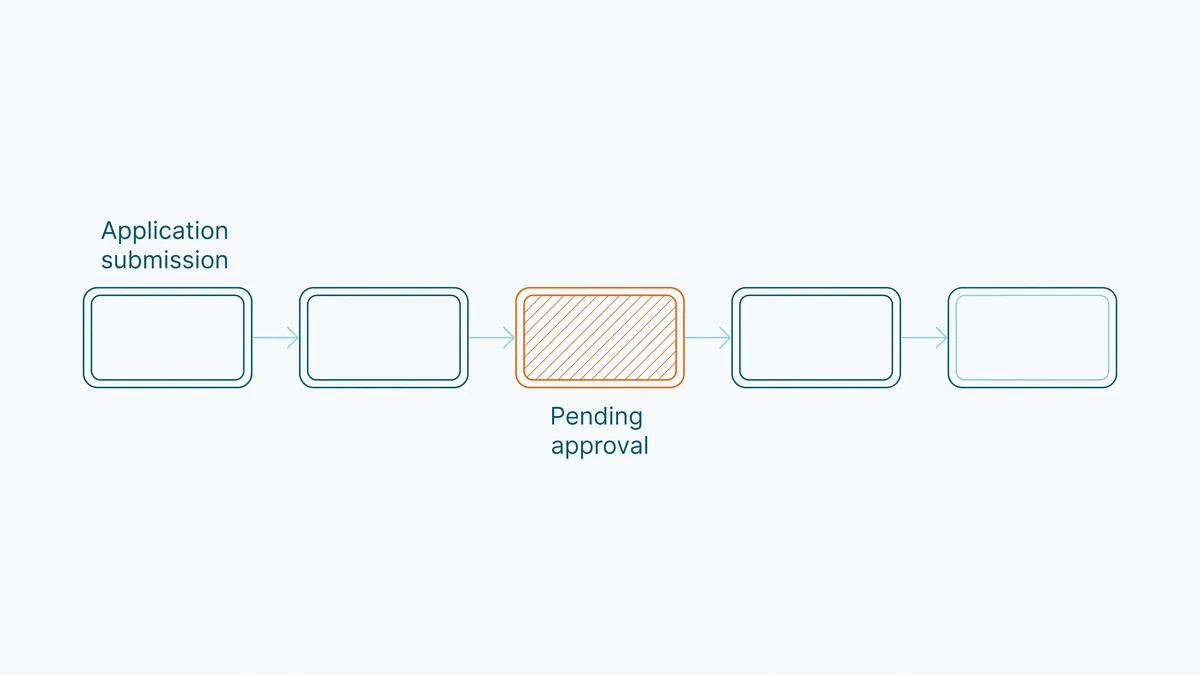
Intake. Application Received means the file arrived but intake is not processed. Application Acceptable means the submission requirements are met but the initial permit fee is outstanding. On Hold means the application is parked over missing information, and Cancellation Pending means the file has sat dormant long enough that the City has mailed a cancellation notice.
Review. Not Started means the application was accepted but no examiner has picked it up. Under Review means examination has begun. Notice Sent and Examiner's Notice mean the examiner found deficiencies or outstanding items and sent you a list. This is the loop that stretches timelines: the file waits on your response, and Response Received then Response Accepted mark it re-entering the queue. A Refusal Notice means the review concluded the application cannot be approved as submitted.
Issuance. Ready for Issuance means review is complete and the permit can be picked up at any time. Issuance Pending means review is done but other approvals or fees are still outstanding. Permit Issued means exactly that: the work is authorized to begin.
What does each status mean after a permit is issued?
After issuance, the status describes where the authorized work stands with the City's inspectors. Permit Issued is the starting state. Inspection means the permit is issued and under active inspection, which is the normal condition for a project underway. Work Not Started means an inspection was attempted and construction had not begun.
Changes mid-project get their own statuses. Revised means a Notice of Change was submitted to the Chief Building Official, and Revision Issued means that change was accepted. Violation means there is an inspection order against the permit, and Permit Revoked means the authorization was withdrawn.
One reading habit will save you grief: status describes the paperwork state, never the quality of the work. A permit can show Inspection for years on a stalled project, and a file can close on paper while a deficiency lingers on site. If the stakes are a purchase, pair the status with your own home inspection, and treat an open permit on finished work as a close-out task to settle before the deal, a point covered in more depth in our guide to permit records as public information.
Which statuses do most Toronto permits actually sit in?
The open data tells a simpler story than the glossary suggests. Among Toronto permits issued in the trailing twelve months and currently on record, nearly every file sits in one of three statuses: Permit Issued, Inspection, or Revision Issued. The pre-issuance statuses barely appear, because the City's open dataset covers permits, not pending applications.
Quotable: Toronto's application tracker and its open permit data answer different questions. Statuses before issuance live almost entirely on the City's application status tool, while the open dataset, and any site built on it including PermitIndex, sees a permit only once it is issued.
That split matters in practice. If your renovation application feels stuck, no address search will show it, because it is not a permit yet. And once a permit is issued, the interesting question usually shifts from status to duration: our Toronto permit wait times page reports the observed median lag from application to issuance by trade, computed from the same records.
Why does a permit not show up in the status search?
An empty result usually means the record aged out, not that the work was never permitted. The City's tracker covers applications from about the last ten years and drops closed or cancelled files roughly a month after they close. The open dataset behind PermitIndex covers active permits, and records leave it as projects close out, a limitation we explain on the data sources page.
So read an empty search as "nothing currently on record." A kitchen renovated fifteen years ago can be fully permitted and invisible in every online tool today. If you need the deep history of a property, that is a records request to the City rather than a status search, and our guide to looking up any Toronto building permit walks through the options, from open data to formal routes. When obvious structural work has no permit trail at all and clearly should, that is a question for a qualified inspector or Toronto Building, not something a status field resolves.
How these numbers are calculated
The permit count above is the number of building permits issued in the City of Toronto over the trailing twelve months, computed live by the seo_citywide_12mo aggregate from the City's open dataset of active building permits and stamped with the newest issue date in that data. The observation that issued permits on record cluster into the Permit Issued, Inspection, and Revision Issued statuses comes from a logged read-only query grouping the public permit view by status over the same trailing twelve-month window, run on 2026-07-24. Status definitions paraphrase the City of Toronto's published status glossary, which remains the authoritative wording.
One limitation applies throughout: the City publishes currently active permits, and records leave the dataset as projects close out. Every figure here describes permits presently on record in Toronto, not a complete historical census, and pending applications appear only in the City's own tracker, not in open data. For the underlying dataset and its licence, see the data sources page.
Frequently asked questions
- Can I check a Toronto permit status without the application number?
- Yes. The City's application status tool is built around the application number, but you can search by street address on PermitIndex and see every permit currently on record for that property, with its status, trade, and dates. That route works for any address, not just your own project.
- How often does Toronto permit status information update?
- The City states its application status site is updated as of the previous business day. PermitIndex re-ingests the City's open permit data daily, so both sources trail reality by about a business day rather than updating in real time. For anything time-critical, confirm directly with Toronto Building.
- What does Notice Sent mean on my Toronto permit application?
- It means the examiner reviewed your application, identified deficiencies or outstanding items, and sent you a notice describing them. The review does not move forward until you respond, and once Toronto Building receives your response the file goes back into the review queue. Answering the notice completely the first time is the single biggest thing you control in your own timeline.
- Is an open permit with Inspection status a problem when buying a house?
- Not by itself. Inspection means the permit was issued and the work is under active inspection, which is the normal state for a project in progress. It becomes a negotiation point when the work is finished but the permit never closed, because the buyer can inherit the job of arranging final inspections. Many buyers ask the seller to close out open permits before the sale completes.
- Why is my permit status still Not Started?
- Not Started means Toronto Building accepted your application but the review has not begun, so the file is waiting in the queue. How long that lasts varies with project type and current application volumes. The City's status tool is the authoritative view of your specific file, and our wait-times pages show the observed lag between application and issuance among permits on record, by trade and by area.